![AccelPay Logo.svg]](https://try.accelpay.io/hubfs/AccelPay%20Logo.svg)
If you are using the AccelPay-Shopify-Integration, head over to Shopify and set up your Google Analytics connection there. For more information, see this article.
If you are using the AccelPay cart, follow the below instructions:
Login to the AccelPay portal, then navigate to the 'Integrations' tab. Enable Google Analytics if it is not already enabled and then click 'Manage' to enter your email address and link your account.
View the 'Analytics' tab in the AccelPay portal and choose a selected date range to view your brand's metrics.
Metrics will be synced every 12 hours. 
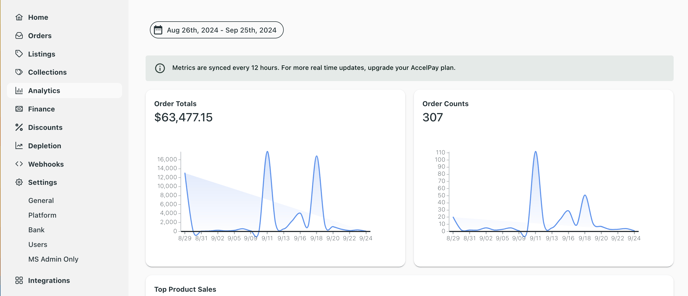
We know how important data is to every aspect of a successful eCommerce presence, and we built this integration for the purpose of maximum visibility.
However, we are not Google Analytics experts. For questions on the data or how to set up your Google Analytics account, please go to Google as your resource. If you have questions on the integration with the AccelPay Portal, you can contact your AccelPay Account Manager or email success@accelpay.io.