![AccelPay Logo.svg]](https://try.accelpay.io/hubfs/AccelPay%20Logo.svg)
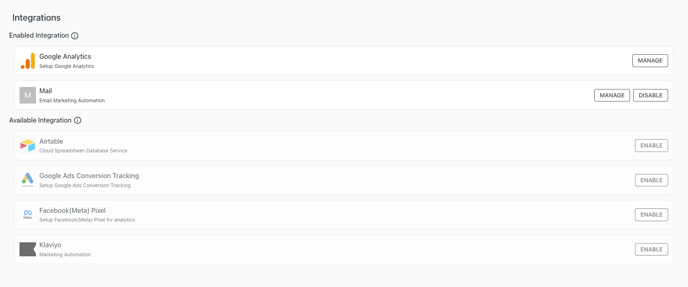
To enable tracking via Facebook pixel, login to the AccelPay Portal. Then, go to Integrations and you will see the integrations available to you.
Just click the "Enable" button next to Facebook (Meta) Pixel and it will automatically turn on.
This sends the following events to FB Pixel: InitiateCheckout, AddAddressInfo, Purchase. Please make sure you have Meta Pixel installed on your website.
Need more information on linking with Meta? Check out this article here.
Have questions on any of these other integrations? You can find an article on each within the help center!