![AccelPay Logo.svg]](https://try.accelpay.io/hubfs/AccelPay%20Logo.svg)
This article is instructions on how to set an order minimum quantity at checkout in the AccelPay Portal. This is specifically for brands using the proprietary AccelPay cart. If you are using Shopify, this does not apply to you as you can do this yourself in your Shopify account. To learn how, please check out this article.
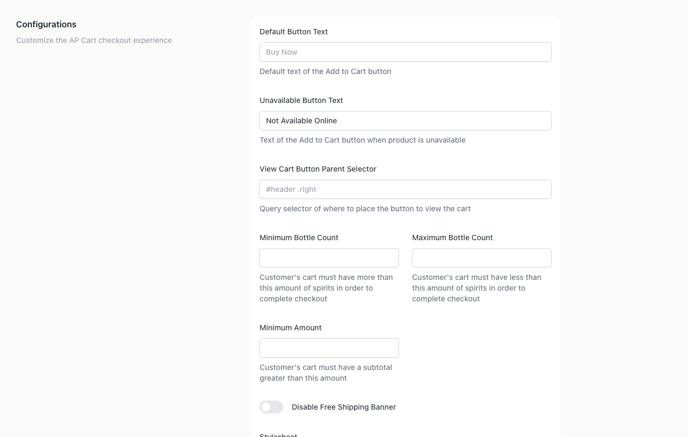
To set a minimum order quantity at checkout, login to the AccelPay Portal. Go to Settings > Platform, then scroll down to Configurations. You will then see options to set a minimum bottle count and a maximum bottle count. You can also set a minimum amount which means a the customer's cart must have the defined subtotal amount to checkout that you set.