![AccelPay Logo.svg]](https://try.accelpay.io/hubfs/AccelPay%20Logo.svg)
To make changes to the error messaging, login to your Shopify account and follow the steps below.
- Click on Settings
- Click on Checkout
- Click on Manage Checkout Language
- Scroll to "Checkout Shipping errors shipping method not available generic"
-
- (You have to scroll for a bit to find the specific error script.)
- Here is an image of what to look for:
-
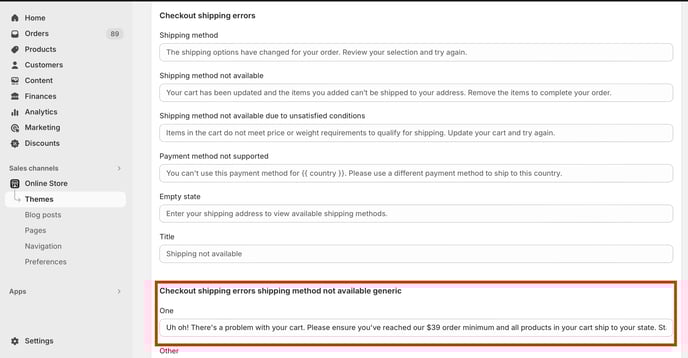
5. Enter the preferred text for your error messaging!