1. Login to the AccelPay portal
2. Navigate to Settings then 'Edit all settings'
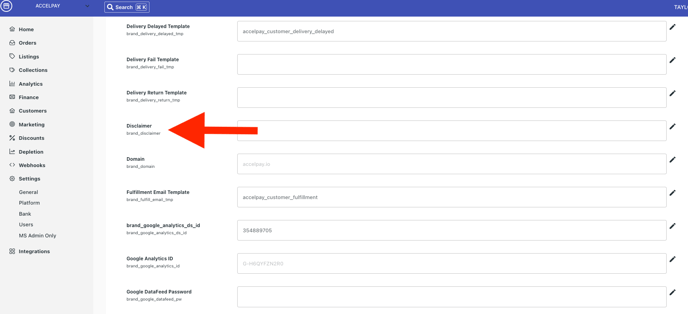
3. Enter the desired text into the 'Disclaimer' field. Be sure to click the check mark to save the text.
![AccelPay Logo.svg]](https://try.accelpay.io/hubfs/AccelPay%20Logo.svg)
1. Login to the AccelPay portal
2. Navigate to Settings then 'Edit all settings'
3. Enter the desired text into the 'Disclaimer' field. Be sure to click the check mark to save the text.