![AccelPay Logo.svg]](https://try.accelpay.io/hubfs/AccelPay%20Logo.svg)
To add the AccelPay carrier service to your Shopify account you must be using the 'Shopify Advanced' or 'Shopify Plus' plans. If you are using the 'Shopify' plan, you have the option to pay an additional monthly fee or switch to annual billing to receive this upgrade. If you have the 'Shopify Basic' plan, this service is not available to you.
To enable the carrier service, follow the steps below:
- Within Shopify, navigate to the AccelPay Fulfillment App
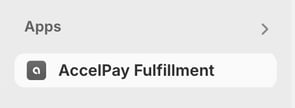
- Here you will see the option to turn the carrier service on or off.
- Once enabled, you can add rules to adjust the prices of the AccelPay calculated shipping rates. Please note that any additional native Shopify shipping rates are additive and allow the customer to bypass the carrier service.
If you are using the 'Shopify' plan and would like to upgrade to include the carrier service, you will need to reach out to Shopify support and either pay an additional monthly fee or switch to annual billing.