![AccelPay Logo.svg]](https://try.accelpay.io/hubfs/AccelPay%20Logo.svg)
General Best Practices/Considerations
Timing:
- With best effort, starting a presale no more than 1 month ahead of the expected fulfillment (shipping/delivery) date to the retailers.
- With high confidence, the brand should provide the expected date the product will be available in market for a retailer to purchase from the distributor.
- A minimum 2-week buffer period should then be placed for the product to be delivered from the distributor to the retailer, for subsequent fulfillment to the customer.
- If uncertainty with product availability or distribution to the retailers, expected fulfillment dates should not be made explicit on product pages, confirmation emails, or other customer-facing communications.
- Brand<>Distributor<>AccelPay<>Retailer must be in communication around any delays or updates around product availability. This way AP can communicate updates as accurately as possible to the impacted customers.
Pricing Information:
- Pricing must be confirmed by Brand<>Distributor<>Retailer for the expected Price to Retailer and Suggested Retail Price to the consumer.
- Any purchases that includes a presale item will default to fulfillment along the presale timeline.
Customer Communications:
- Where possible, expectations around fulfillment should be communicated to the customer. Common places to communicate that the product is for presale are:
- On the product pages, including banner on site/product page.
- Copy on the purchase buttons
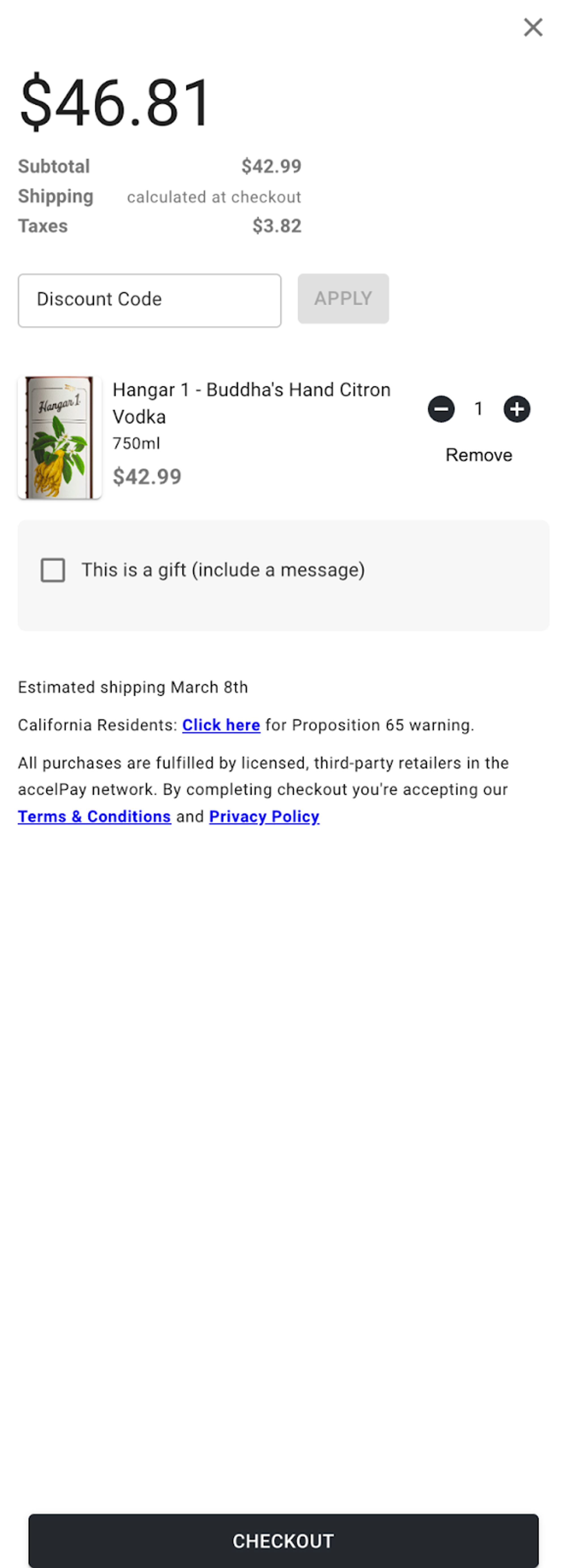
- In the shopping cart experience (a disclaimer can be inserted in the AP cart)
- In the confirmation email, post purchase
- In follow up email communications with customers post purchase in advance of fulfillment.
- Brand<>AccelPay can create an email macro for support inquiries around order updates.
Estimated Volume:
- If previously sold online, any data on past order volume by product and location will help retailers estimate required inventories over a given period of time.
- If not previously sold, Brand<>AccelPay can set allocations by retailers based on conservative estimates. Additionally, Brand<>AccelPay can ensure backup inventory is staged for deployment to retailers on short notice, if needed.
- In either case, Brand<>AccelPay should set a conservative, fixed inventory for availability of the product via presale. This can always be updated based on market demand, or updated availability by market.
Product Types:
- LTO (limited time offerings)
- Allocated Products (that periodically become available in markets to retailers)
- Any product set for an upcoming release where gauging market demand might be helpful for marketing/operational purposes.
Retailer Locations/States that are Open to Presale
- All retailers in all states
“Pre Sale” vs. “Available” product setting can be updated by variant in the AccelPay Portal, Listings Settings
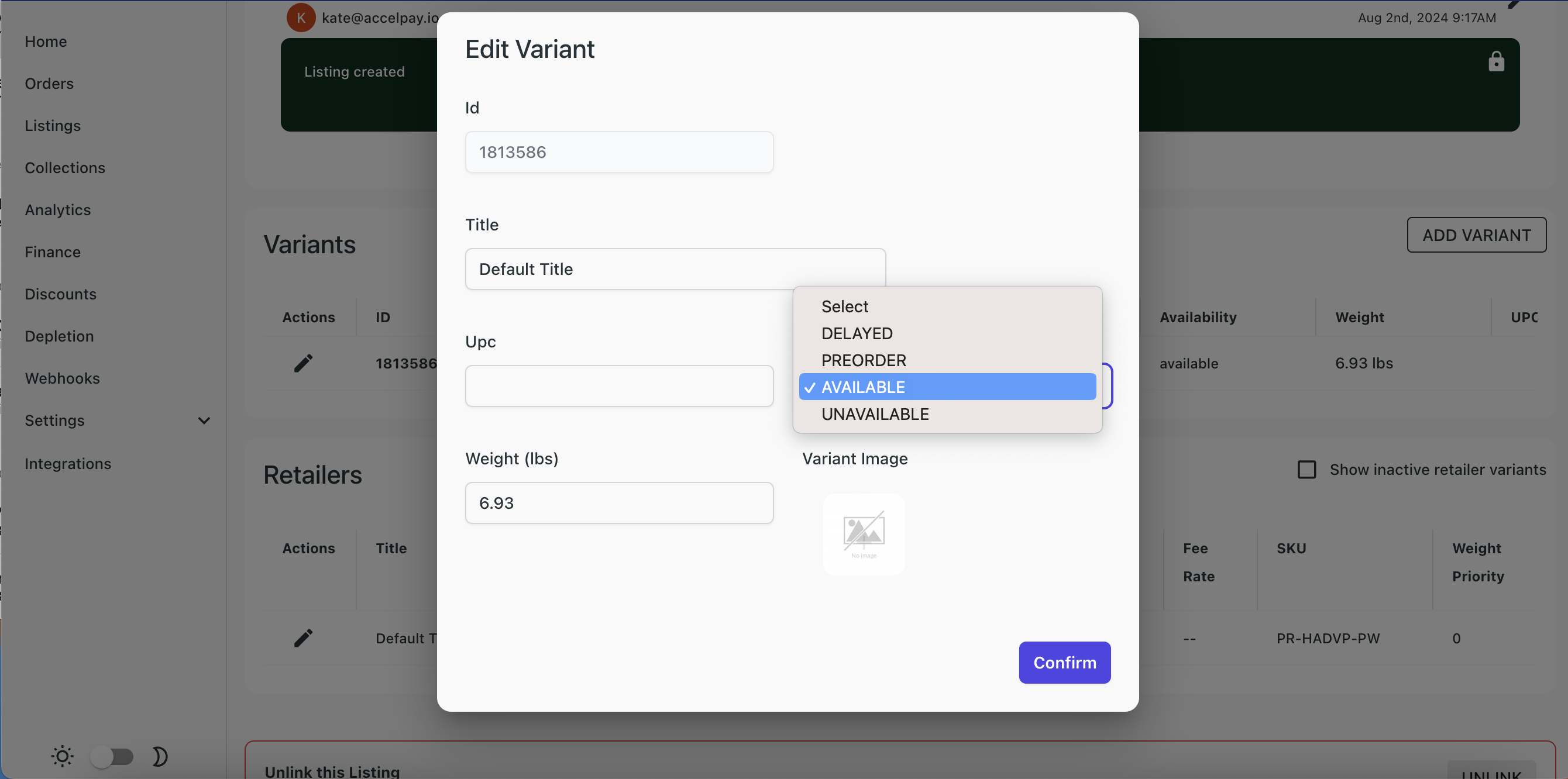
“Add to Cart” Button Automatically Updates to “Pre-Order” if the product setting is changed. Brand is also encouraged to include a disclaimer or banner on the Product Page highlighting that the product is for “Presale”

The AccelPay cart can include a “Disclaimer” with additional language around expected fulfillment dates, etc. For more information about adding custom text to the cart, please click here.