![AccelPay Logo.svg]](https://try.accelpay.io/hubfs/AccelPay%20Logo.svg)
When you onboarded with AccelPay you were sent a Brand to Retailer pricing sheet within a Google Sheet that also gave you access to your own Brand Folder in Google Drive. This sheet is used to store pricing and distributor information. We also use this sheet to introduce your product pricing to retailers.
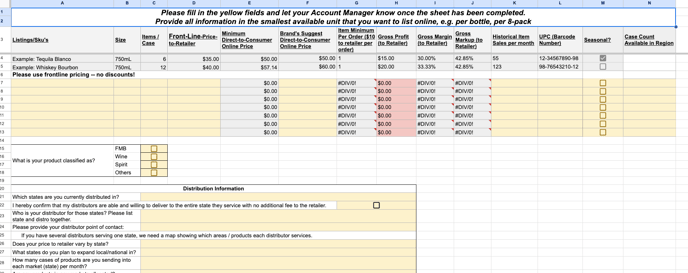
This sheet asks for your distributor information for each state. Be sure that you include this here and that you update this information if it ever changes.
If you're not sure if you have the link to your Google Folder or this pricing sheet, please contact your AccelPay Account Manager and they can resend it to you.
Why does AccelPay need this information?
Our retail partners purchase your product through standard distribution channels and they turn to us should they have any questions.