- Login to the AccelPay Portal
- Navigate to the 'Marketing' tab
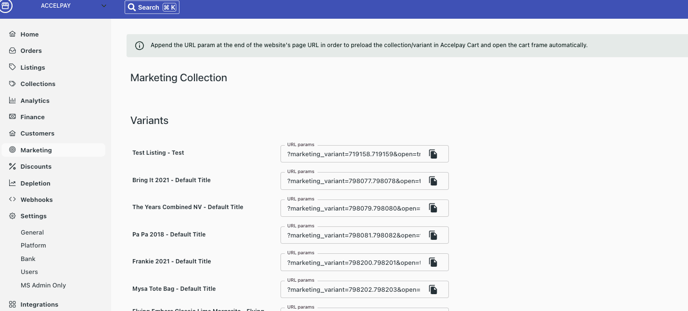
- Choose which product you would like to create a marketing link for
- Copy and Paste the URL param at the end of the website's page URL in order to preload the collection/variant in the AccelPay Cart and open the cart automatically.
- Use the marketing link in your marketing materials and watch sales soar!
English
![AccelPay Logo.svg]](https://try.accelpay.io/hubfs/AccelPay%20Logo.svg)